Copyright © 2026 WPCode. WPCode® is a registered trademark of WPCode, LLC

Join 3,000,000+ Websites who use WPCode to Future-Proof Website Customizations with Code Snippets

Header &
Footer Scripts

Conversion
Pixels

Custom Code
Snippets

Conditional
Logic

Error
Handling

Snippets
Library



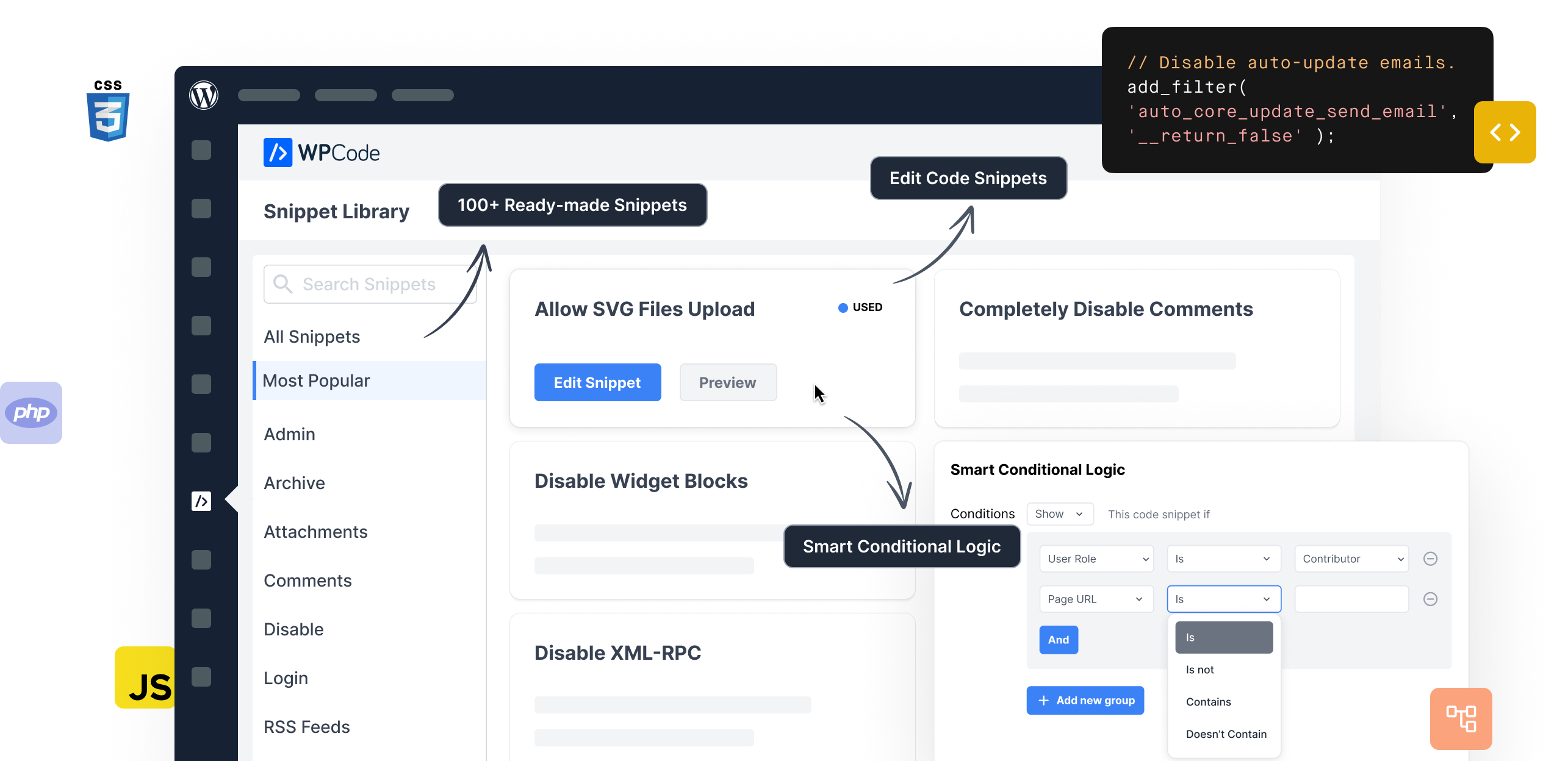
WPCode makes it easy and safe to add custom WordPress features through code snippets,
so you can reduce the number of plugins on your site.

Save time by using over 100+ expert-approved snippets to add custom WordPress functionality.

Full support for custom PHP, JS, CSS, HTML, Text, and other types of custom code snippets.

Load code snippets only when it matches specific conditions
such as logged-in user, specific page URL, etc.

Automatically run code everywhere, or choose from options like before post content, only in header, etc.

Easily add sitewide header & footer scripts, meta tags, and other conversion pixels on your site.

Helps you prevent common code errors when adding custom snippets to ensure you never break your site.

Safely create custom code snippets by simply filling a form without having to worry about the code.

Add conversion pixels for WooCommerce and Easy Digital Downloads using precise locations and rules.

Reuse content across your site with custom shortcodes in an easy-to-use interface making content updates a breeze.

Reduce bloat and improve performance by replacing plugins with lightweight snippets from our library.

Your snippets can be safely saved in your private cloud and reused across all the websites you manage with ease.

Never worry about losing a snippet or making a mistake again when using WPCode to manage all the custom code for your website.


4.9/5 on WordPress
Great little plugin that saves time and makes adding header, footer or body code simple and straightforward so non-developers can do it. Excellent work thanks!
Giorgio
We use all kinds of snippets on dozens of sites, so a good plugin for embedding them is essential for us. We’ve tried all the free and paid ones and from what I know, this one is the best.
Pavel
Have been using this for a while and it works perfectly. Keep up the good work.
Richard
I was able to replace FIVE other plugins using snippets in this plugin. Made my day!
kwoodall
Great Plugin, makes things easier. I use this plug-in on all my sites. Would not be without it.
Elaine
It’s an amazing and easy to use plugin which makes my life easier
Malick

To help you tailor this content further, please let me know: What is the or niche for this intake? Who is your target audience for this article?
Emma Evans intake processes are critical for legal and professional success. Proper onboarding ensures client satisfaction and streamlines case management. This guide covers everything you need to know about the Emma Evans intake system. Why Client Intake Matters
An effective intake system follows a structured path. Here are the essential steps to implement. 1. Initial Contact
What is the of the piece (SEO, education, or sales)?
💡 Review your intake metrics monthly to find and fix bottlenecks.
Transparency about costs prevents future disputes. Always outline your fee structure clearly during intake. Explain billing methods (hourly or flat rate). Discuss required retainers up front. Send the engagement letter for signature. Best Practices for Optimization
You must ensure no conflict of interest exists. This step protects your firm from legal and ethical issues. Search database for opposing parties. Verify past client relationships. Document the conflict check results. 3. Detailed Questionnaire
Avoid these frequent pitfalls to keep your intake pipeline moving smoothly. that frustrate potential clients. Asking for duplicate data on different forms. Vague pricing explanations that cause confusion later. Neglecting data security during information gathering.
Future-proof your website with WPCode Snippets and improve the way you manage code across all your websites.
Copyright © 2026 WPCode. WPCode® is a registered trademark of WPCode, LLC

The WordPress® trademark is the intellectual property of the WordPress Foundation. Uses of the WordPress®, names in this website are for identification purposes only and do not imply an endorsement by WordPress Foundation. WPCode is not endorsed or owned by, or affiliated with, the WordPress Foundation.