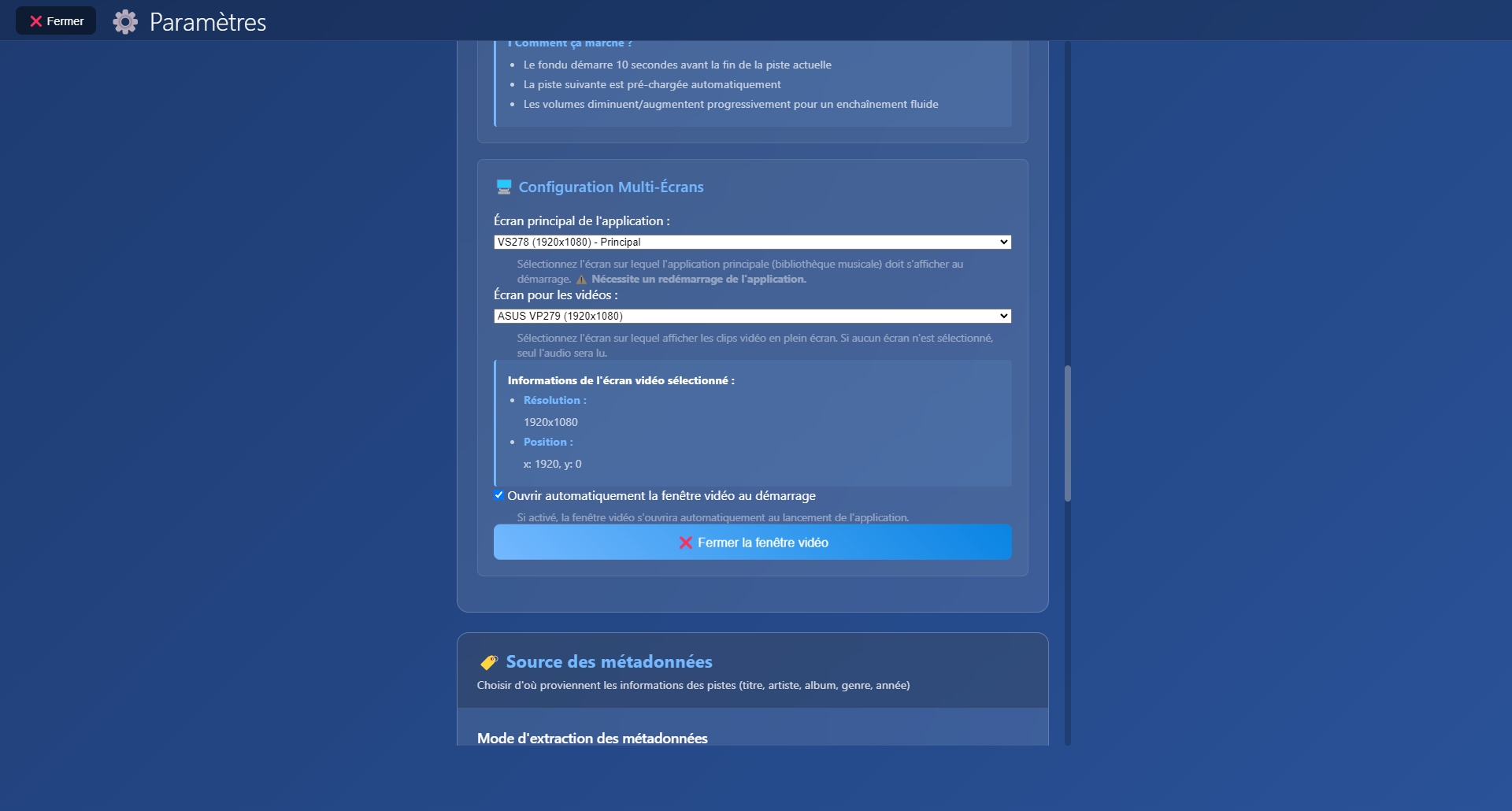
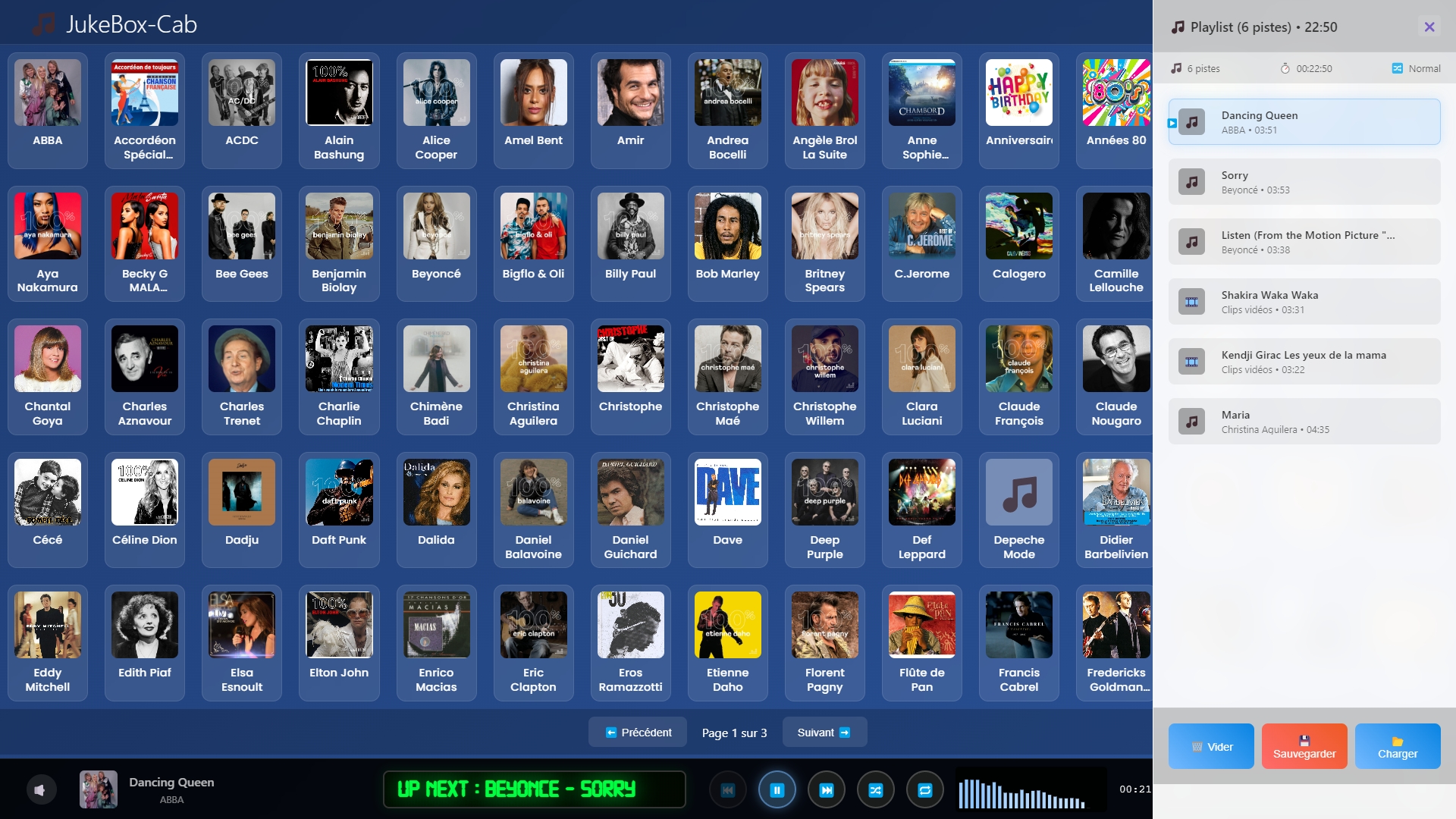
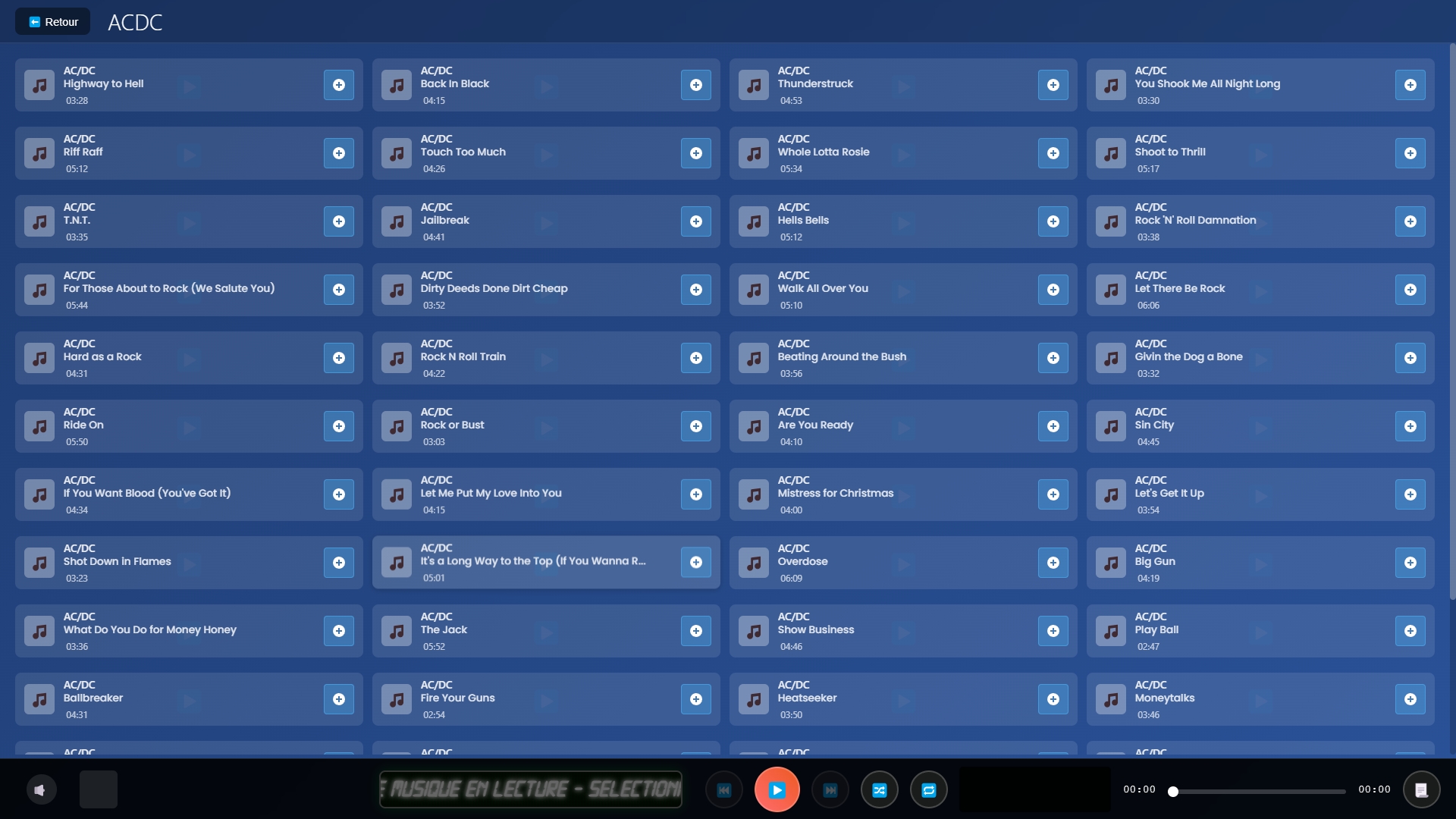
Transformez votre PC en jukebox professionnel. Gérez votre bibliothèque musicale et vidéo avec une interface tactile élégante.
JukeBox-Cab est un projet gratuit développé avec passion. Si vous appréciez ce logiciel, vous pouvez soutenir son développeur ! 💰💰💰 iremoval pro error unable to check for updates


JukeBox-Cab est un logiciel de jukebox moderne conçu pour Windows, offrant une expérience tactile intuitive pour gérer et profiter de votre collection musicale et vidéo.
Que vous soyez un audiophile, un DJ amateur ou simplement un passionné de musique, JukeBox-Cab transforme votre ordinateur en une véritable station multimédia professionnelle.
Design moderne inspiré des jukeboxs vintage avec effets glassmorphism
Scanner rapide et gestion efficace de bibliothèques volumineuses
Navigation intuitive optimisée pour les écrans tactiles
Connect to a server in a different country (the usually works best).
Ensure you have the installed (the desktop version from Apple’s website is preferred over the Microsoft Store version).
The tool relies on specific drivers to communicate with your device and the server simultaneously.
Alternatively, add the iRemoval PRO folder as an "Exclusion" so the antivirus ignores it.
It sounds basic, but iRemoval PRO requires a stable, unrestricted connection to verify its version against the developer's server. Turn your Wi-Fi off and on again.
By following these steps, you should be able to resolve the update error and proceed with your device bypass.
Ensure you aren't using a manual proxy in your Windows settings that might be redirecting the app's traffic. 2. Disable Windows Defender and Antivirus
If you are trying to bypass the Activation Lock on your iPhone or iPad using iRemoval PRO and you’re hit with the error, you aren't alone. This is one of the most common hurdles users face when launching the software.
In many cases, the "Unable to check for updates" error is caused by a or an ISP (Internet Service Provider) blocking the iRemoval PRO server domain.
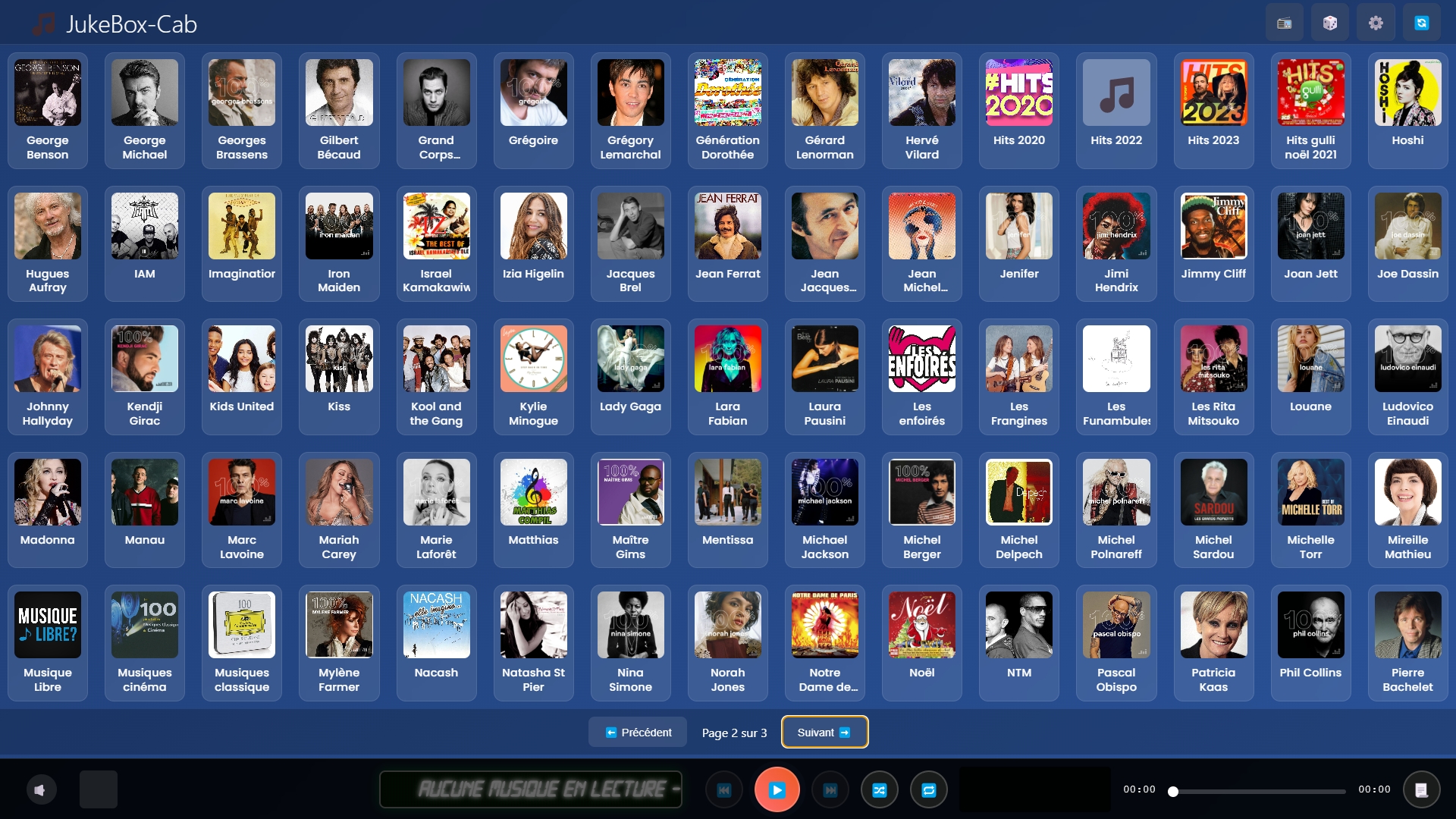
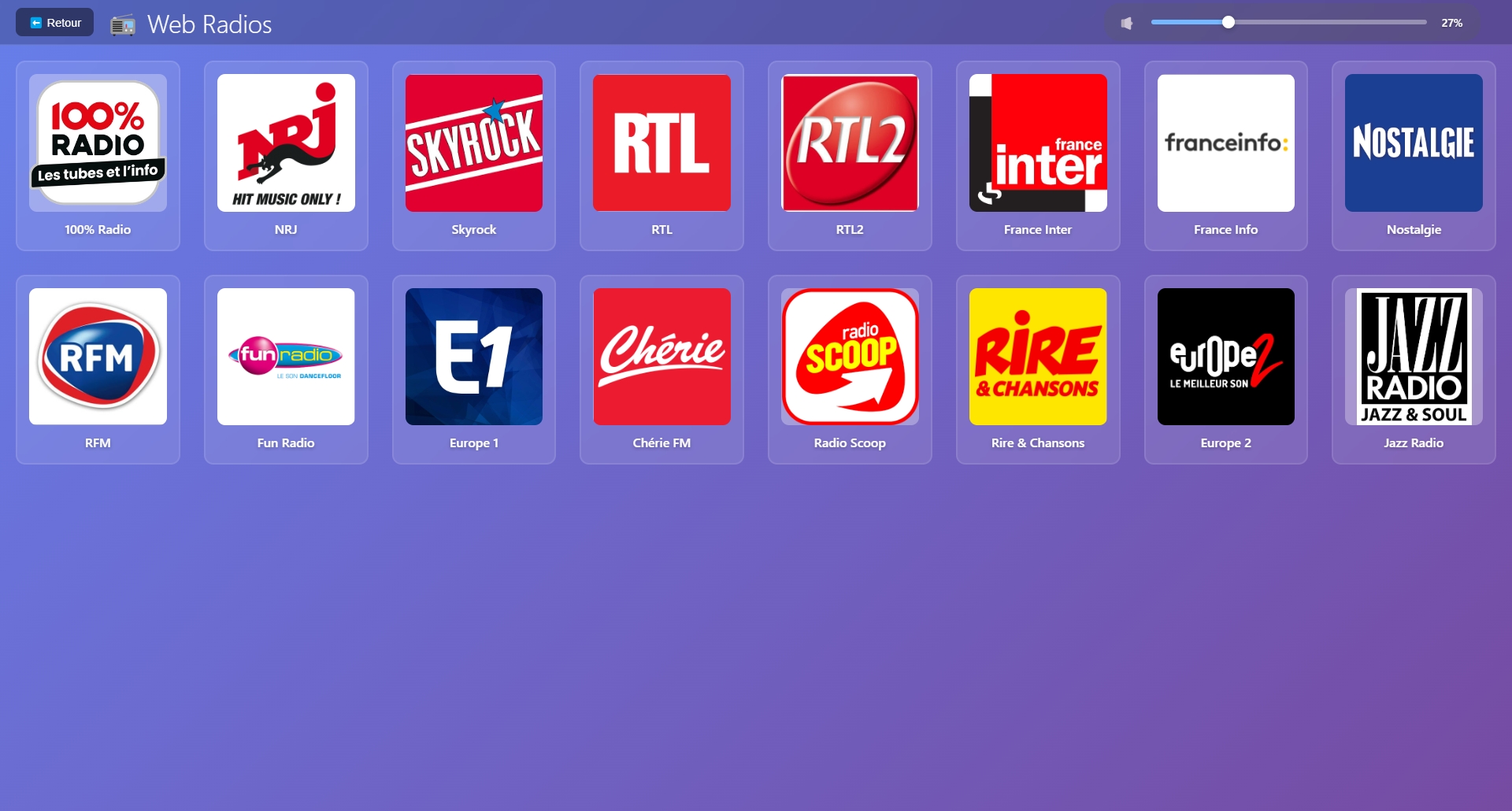
Découvrez l'interface de JukeBox-Cab
Connect to a server in a different country (the usually works best).
Ensure you have the installed (the desktop version from Apple’s website is preferred over the Microsoft Store version).
The tool relies on specific drivers to communicate with your device and the server simultaneously.
Alternatively, add the iRemoval PRO folder as an "Exclusion" so the antivirus ignores it.
It sounds basic, but iRemoval PRO requires a stable, unrestricted connection to verify its version against the developer's server. Turn your Wi-Fi off and on again.
By following these steps, you should be able to resolve the update error and proceed with your device bypass.
Ensure you aren't using a manual proxy in your Windows settings that might be redirecting the app's traffic. 2. Disable Windows Defender and Antivirus
If you are trying to bypass the Activation Lock on your iPhone or iPad using iRemoval PRO and you’re hit with the error, you aren't alone. This is one of the most common hurdles users face when launching the software.
In many cases, the "Unable to check for updates" error is caused by a or an ISP (Internet Service Provider) blocking the iRemoval PRO server domain.
JukeBox-Cab est un projet gratuit développé avec passion. Si vous appréciez ce logiciel, vous pouvez soutenir son développement !
Votre contribution aidera à :
Soutenez le développement de JukeBox-Cab
Faire un don via PayPalMerci pour votre générosité ! 🙏