KueIt Features
The go-to audio sampler soundboard app for DJs and live performers

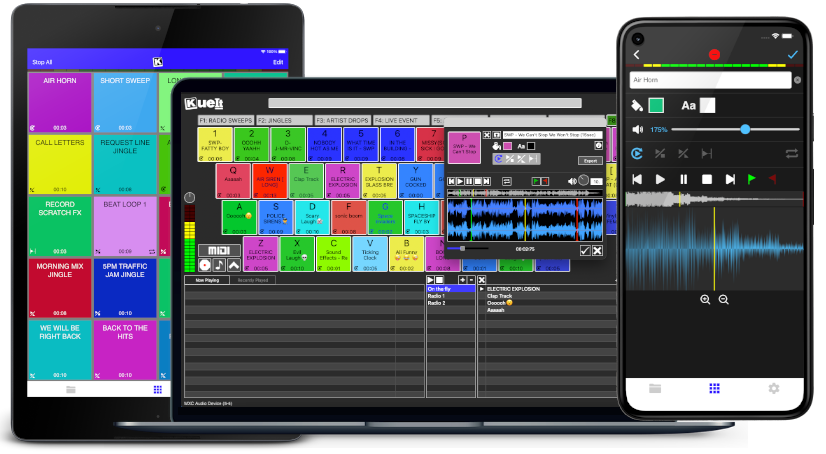
Uniquely designed audio sampler app for your sound effects, audio drops & jingles
The DJ soundboard app is available for macOS, Windows, the App Store & Google Play
30 day money back guarantee for desktop and 7 day FREE trial for mobile devices!!!
KueIt DJ sound effects app can be used in many settings
Replace large bulky machines with this cost-effective DJ soundboard app
KueIt audio sampler app allows you to play all your drops, jingles, and sound effects
Performers, arm yourself with an arsenal of audio files at your fingertips with a handy DJ soundboard app
Instantly trigger the appropriate sound for the big play straight from your computer or mobile device
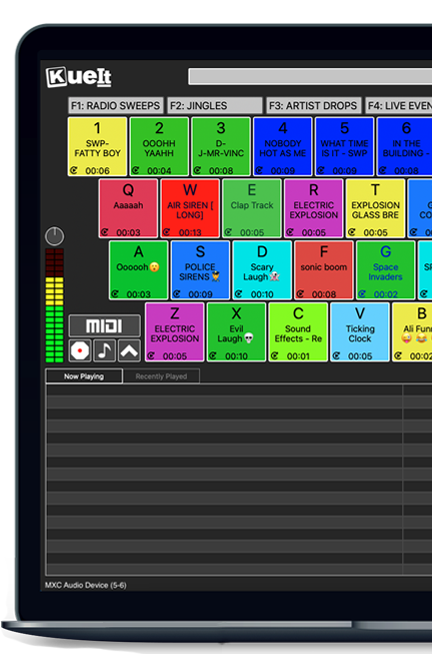
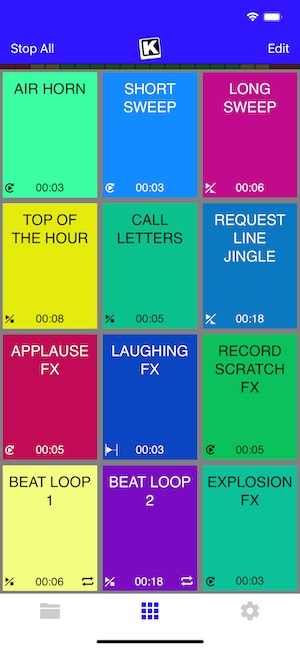
KueIt gives you the flexibility you need. Load your audio tracks to your profile and customize your layout. Trigger your drops, jingles, sound effects and songs instantly by the touch of your fingertips.
Enjoy your very own audio sampler app packed with amazing features

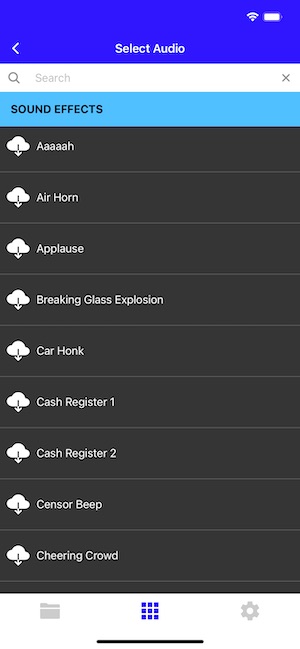
Our cloud covers different sound types including sound fx, voice tracks, beat loops, percussion & more!
* Cloud access is only offered for KueIt Mobile Pro Plan
users
* Pro Plan available via in-app purchase
KueIt was designed for the serious DJ, podcaster, producer, or broadcaster. The easy yet reliable performance of the KueIt soundboard app makes it perfect for podcasts, nightclubs, TV, live concerts, sporting events, school gymnasiums, and anywhere that quality music, jingles, or sound effects are needed. Don't compromise the outcome of your event or broadcast. Go with a DJ sampler app system that works... KueIt.
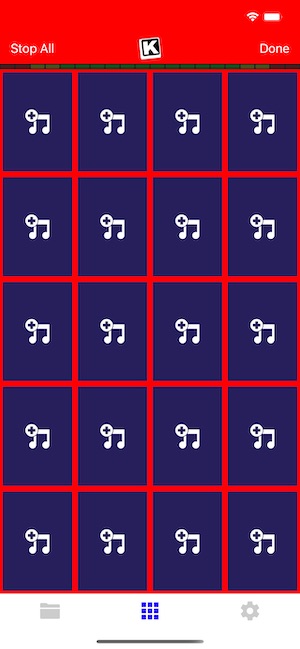
Easily add audio clips to your profile and play them with zero delay
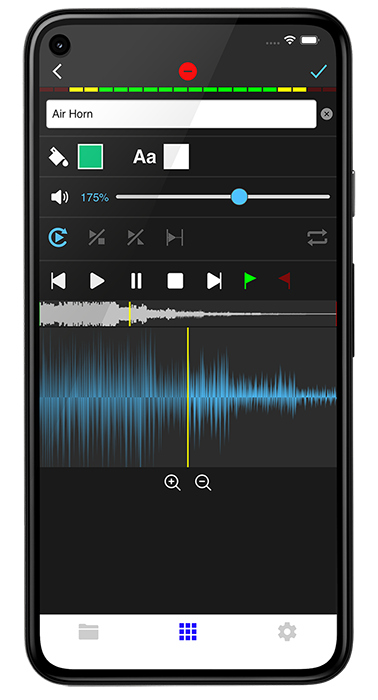
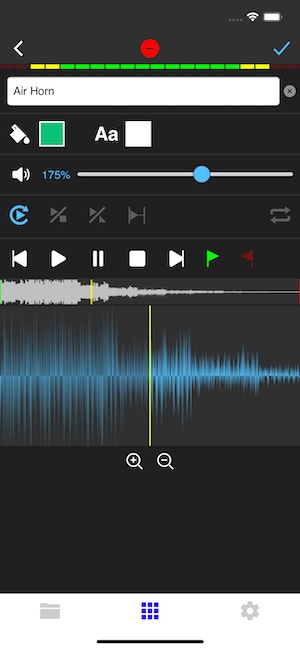
Edit name & volume. Set play mode, set up loops & start/end points via waveform
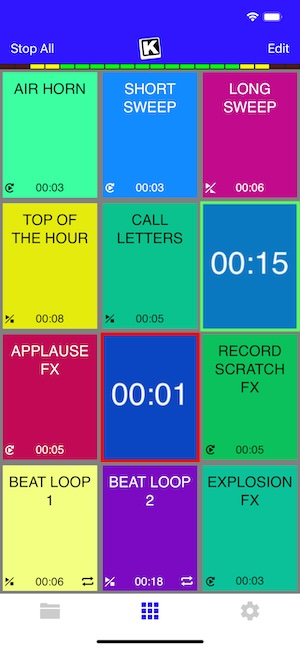
Instantly play your loaded audio clips at the touch of your fingertips
Get studio quality audio. KueIt also works with external soundcards
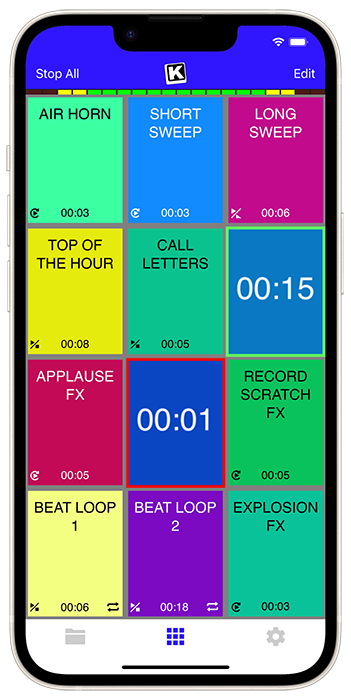
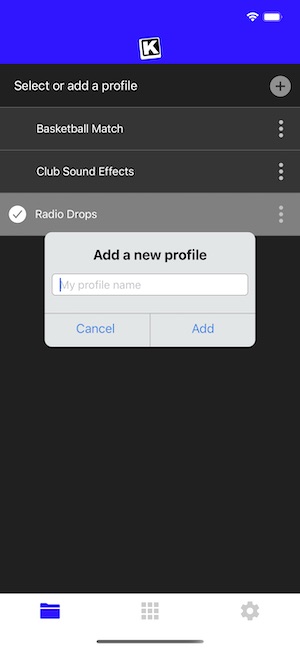
Create custom profiles in the audio sampler app and assign multiple audio clips for each profile
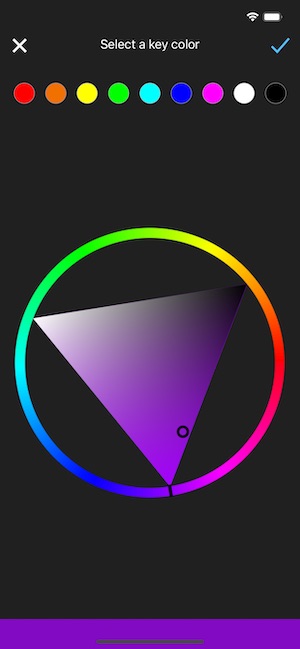
Set the pad color & font color of each pad
Use KueIt on macOS/Windows or iOS/Android phone or tablet
Backup your KueIt profiles via iCloud/Google Drive on mobile or via export on desktop

"KueIt allows DJs to step their game up. You can play like a radio DJ in front of a crowd, KueIt is one of the hottest programs to hit the market"

"KueIt made it easier for me to load up my sounds. No more instant replay"

"KueIt makes my life (DJing on the radio) easier, and it's extremely user friendly. After using it for only a few minutes, I felt comfortable enough to take it to the radio and get busy with it live on the air"
KueIt is designed to easily load, edit and customize your profiles. Once loaded, your pads are ready to be triggered instantly
Whether you are a hobbyist, a digital archeologist, or someone who just misses the crisp lines of the classic UI, here is how to get a hot Windows NT 4.0 simulation running today. The Virtual Experience: Why NT 4.0 Still Matters
Test malware or vintage software in a sandboxed environment. Relive the "Space Cadet Pinball" era in its native habitat. Top Ways to Simulate Windows NT 4.0 1. Browser-Based Simulators (The "Hot" Instant Start) windows nt 40 simulator hot
💾 For the "hottest" and most stable version, always ensure your simulation is running Service Pack 6a . This was the final, most refined version of the OS, fixing hundreds of year-2000 bugs and stability flaws. Conclusion
Windows NT 4.0 remains a landmark in computing history. Whether you use a browser-based quick-boot or a deep-dive hardware emulation via 86Box, simulating this OS is a fascinating journey into the architecture that defined the modern workplace. To help you find the right setup: Whether you are a hobbyist, a digital archeologist,
The easiest way to get an NT 4.0 fix is through JavaScript-based x86 emulators. Websites like or Copy.sh allow you to boot into a fully functional NT 4.0 environment directly in your Chrome or Firefox tab. There is no installation required—it’s the fastest way to see the desktop and navigate the file system. 2. VirtualBox and VMware (The Power User Choice)
If you want a "hot" setup that actually saves your files and connects to the (modern) internet, virtualization is the way to go. Top Ways to Simulate Windows NT 4
Windows NT 4.0 introduced the Windows 95 interface to the stable, 32-bit NT kernel. It was famously "rock solid" compared to its blue-screening consumer cousins. Running a simulator or virtual instance today allows you to: Run legacy industrial or accounting software. Experience the evolution of the Start menu.
Set up a bridged adapter to see if you can still ping modern sites (though SSL issues will make browsing the modern web nearly impossible). 3. 86Box (The Purist’s Emulation)
Whether you are a hobbyist, a digital archeologist, or someone who just misses the crisp lines of the classic UI, here is how to get a hot Windows NT 4.0 simulation running today. The Virtual Experience: Why NT 4.0 Still Matters
Test malware or vintage software in a sandboxed environment. Relive the "Space Cadet Pinball" era in its native habitat. Top Ways to Simulate Windows NT 4.0 1. Browser-Based Simulators (The "Hot" Instant Start)
💾 For the "hottest" and most stable version, always ensure your simulation is running Service Pack 6a . This was the final, most refined version of the OS, fixing hundreds of year-2000 bugs and stability flaws. Conclusion
Windows NT 4.0 remains a landmark in computing history. Whether you use a browser-based quick-boot or a deep-dive hardware emulation via 86Box, simulating this OS is a fascinating journey into the architecture that defined the modern workplace. To help you find the right setup:
The easiest way to get an NT 4.0 fix is through JavaScript-based x86 emulators. Websites like or Copy.sh allow you to boot into a fully functional NT 4.0 environment directly in your Chrome or Firefox tab. There is no installation required—it’s the fastest way to see the desktop and navigate the file system. 2. VirtualBox and VMware (The Power User Choice)
If you want a "hot" setup that actually saves your files and connects to the (modern) internet, virtualization is the way to go.
Windows NT 4.0 introduced the Windows 95 interface to the stable, 32-bit NT kernel. It was famously "rock solid" compared to its blue-screening consumer cousins. Running a simulator or virtual instance today allows you to: Run legacy industrial or accounting software. Experience the evolution of the Start menu.
Set up a bridged adapter to see if you can still ping modern sites (though SSL issues will make browsing the modern web nearly impossible). 3. 86Box (The Purist’s Emulation)